
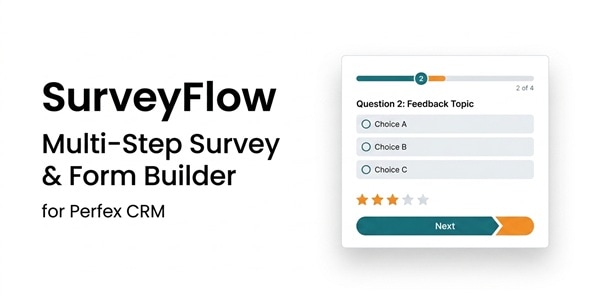
SurveyFlow – Multi-Step Survey & Form Builder for Perfex CRM 1.0.1
Original price was: $39.00.$6.00Current price is: $6.00.
Note: This is a module for Perfex CRM. It is not a standalone script.
SurveyFlow – Multi-Step Survey & Form Builder for Perfex CRM
SurveyFlow helps you create professional multi-step surveys and feedback forms directly inside Perfex CRM. Build forms with a visual drag-and-drop interface, divide questions into multiple pages, and provide participants with a clean, modern and mobile-friendly form experience.
Send personalized survey invitations to staff, leads, clients, project participants or a manually entered list. Every recipient receives a unique and secure survey link and can complete the form without logging in.
Surveys can also be created independently without selecting a project, client or lead. Every published survey includes a public URL and iframe embed code for use on WordPress and other external websites.
SurveyFlow uses your existing Perfex CRM email configuration and SMS gateway. No additional SMTP account or separate SMS API configuration is required.
Modern Drag-and-Drop Form Builder
- Simple three-column visual form builder
- Drag fields from the field palette into survey pages
- Reorder questions with drag and drop
- Move questions between different pages
- Reorder complete survey pages
- Edit the selected field from a dedicated settings panel
- Add an optional description or help text to every question
- Mark individual questions as required
Supported Question Types
- Short text
- Long text
- Multiple choice – single selection
- Multiple choice – multiple selections
- Star and score rating
Rating settings are displayed only for rating questions, while choice settings are displayed only for single-choice and multiple-choice questions. This keeps the builder clear and easy to use.
Images, Audio and Downloadable Files
- Upload an optional image for any question
- Upload separate images for single-choice and multiple-choice options
- Add an HTML5 audio player to any question
- Add separate audio files to individual choice options
- Attach a downloadable PDF, Word, Excel, PowerPoint, TXT, CSV or ZIP file to a question
- Display question and option media in the survey results view
Create visual polls, audio-based questionnaires and document review forms without requiring participants to open a separate page before answering.
Professional Multi-Step Survey Experience
- Divide surveys into unlimited pages or steps
- Previous and Next navigation
- Animated progress indicator
- Modern question cards and custom form controls
- Responsive layout for desktop, tablet and mobile devices
- Company logo and company name integration
- Dedicated success and already-completed screens
- Preview surveys before publishing or sending
- Right-to-left layout support
User Reviews
Be the first to review “SurveyFlow – Multi-Step Survey & Form Builder for Perfex CRM 1.0.1”
Related Products

Hously – Laravel Real Estate Multilingual System 1.10.1


Staff Outsourcing & Smart Resources Booking module for Perfex CRM – Outsource your employees 1.0b

AI Chat GPT OpenAI – AIgency – SAAS and HTML 5 version


There are no reviews yet.