
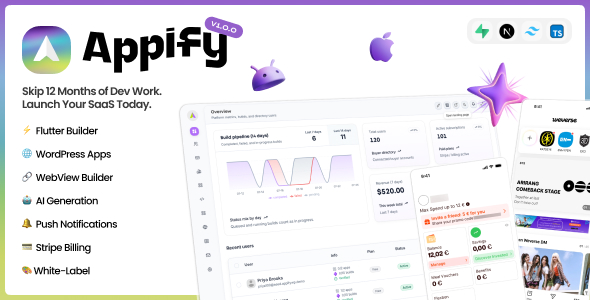
Appify – AI-Powered No-Code Mobile App Builder SaaS Platform
Original price was: $49.00.$7.00Current price is: $7.00.
Appify is a white-label mobile app builder SaaS platform that lets you launch your own app-building business in a day. Your customers can create native Flutter apps or turn any website, web app, WooCommerce store, or WordPress site into Android and iOS apps. This listing gives you the Admin Dashboard and integrated Landing Page — your complete business control center and public-facing site in one Next.js project, deployed under your own domain and fully white-labeled. It also includes access to the hosted Customer Webapp through Appify’s API, so your customers can manage their subscriptions, workspaces, and app projects without an additional purchase. You keep 100% of the revenue. No monthly Appify platform fees. No Appify revenue share.
Appify works out of the box with hosted Customer Webapp access included. The optional source-code edition shown below is coming soon and is only for buyers who want to self-host and customize the customer platform independently.
You do not need the upcoming source-code edition to launch Appify or serve customers.
Step 1 — Deploy Your Admin Dashboard and Landing Page
The admin dashboard and landing page are included in one Next.js project. Deploy it to any Node.js-compatible host — Vercel, Railway, a VPS, or your own server. Point your custom domains and they are live. This takes minutes, not days.
Step 2 — Use the Hosted Customer Webapp (Included)
After license activation, your customers access the hosted Customer Webapp through Appify’s API. This is the platform they use to build their apps, and it is included with the $49 listing. The optional $149 Customer Webapp source-code listing is coming soon for buyers who want to self-host it.
Step 3 — Connect Your Supabase Projects
Connect the platform Supabase project used by the Admin Dashboard, then complete onboarding with your separate BYOS Supabase project for customer accounts, app configurations, build records, and uploaded files. This separation keeps your operational platform data and customer data under your control.
Step 4 — Connect Your Build Server
Connect your own build infrastructure from the admin dashboard. Android builds run on your Docker builder. iOS builds require a connected macOS build environment and your own Apple signing credentials for App Store distribution. In the live demo, buyers can connect GitHub and run one real Android or unsigned iOS verification build through GitHub Actions before purchasing.
Step 5 — Configure Plans, Branding, and Domains
Set your subscription tiers, pricing, and build credit limits. Apply your brand name, logo, and colors. Point your custom domains to all three surfaces — admin, landing page, and customer platform. Everything white-labels in one place and propagates everywhere.
Step 6 — Launch and Start Earning
Your landing page is live. Your admin is ready. Your hosted customer platform is activated and accepting signups. Open registrations and start earning. Every subscription payment goes directly to your payment gateway.
User Reviews
Be the first to review “Appify – AI-Powered No-Code Mobile App Builder SaaS Platform”
Related Products

Android App for ListingPro WordPress Directory Listing Theme

PromptGPT for IOS – AI Multi Chatbot based on ChatGPT GPT 3.5 and OpenAI | IOS Swift Full Applicatio

XCash – Cross Platform Mobile Wallet Application | Agent App 2.0


ProBot – ChatGPT | Admob Ready | Subscription | Open AI Chat, Writing Assistant Image Generator


There are no reviews yet.